
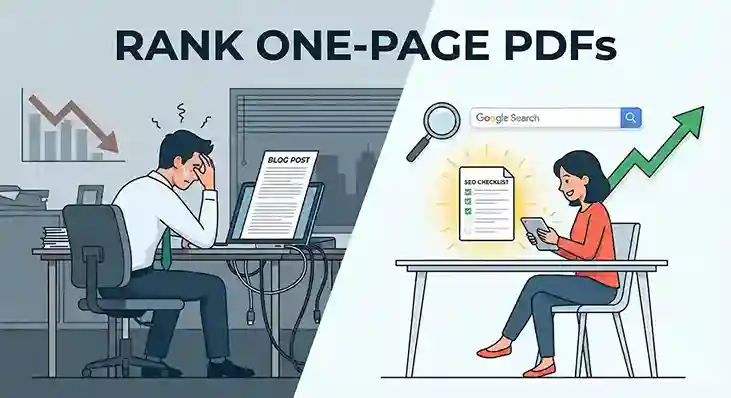
Marketers often ignore the power to rank PDF files. They obsess over long blog posts and difficult keywords. Meanwhile, a simple strategy sits right under their noses. You can use standard one-page documents to capture search traffic. This approach optimizes a format everyone uses but few master.
Google treats PDF files just like standard web pages. They get indexed, ranked, and served to users. But they have a distinct advantage. PDFs often reside on highly trusted domains or possess a perceived value of “authority” that standard articles lack. By creating focused, one-page documents, you can shortcut the line and grab visibility.
This guide explains exactly how to execute this strategy.
Why PDFs File Rank So Well
You might wonder why a static file would beat a dynamic website. The answer lies in user intent and domain trust. When people search for specific resources, they want a file they can save. They are looking for checklists, cheat sheets, or templates. A PDF matches this intent perfectly.
Google knows this. The algorithm sees a PDF as a robust source of information. Furthermore, if you host that PDF on a powerful site, it inherits that site’s strength. A PDF hosted on LinkedIn or a university server has immediate credibility. It skips the “sandbox” phase that new websites often face.
This method does not require complex coding. You do not need a fancy design team. You just need a document that solves a specific problem quickly.
Step 1: Finding the Right Keywords to Rank PDF files
Success starts with picking the right battles. You cannot rank PDF files for a broad term like “marketing.” That is too competitive. You need specific, long-tail keywords. Look for search queries that suggest the user wants a tool or reference guide.
Look for search queries that suggest the user wants a tool or reference guide. These often include specific modifier words.
- “Checklist”: e.g., “SEO audit checklist” or “camping packing checklist.”
- “Template”: e.g., “Invoice template for freelancers” or “social media calendar template.”
- “Cheat Sheet”: e.g., “Python coding cheat sheet.”
- “PDF”: Users often type the file type they want, like “keto diet plan PDF.”
Step 2: Creating the One-Page Asset
Once you have a topic, you need to create the file. Do not overcomplicate this. The goal is a single, high-value page.
Use a tool like Canva, Google Docs, or Microsoft Word. Keep the design clean and professional. Use a standard font like Arial or Helvetica.
Structure your page for value:
- Clear Headline: Use your target keyword at the top.
- Branding: Put your logo or website name in the corner.
- The Content: Deliver the promise immediately. If it is a checklist, use checkboxes. If it is a cheat sheet, use tables.
- Visuals: Use colors to separate sections, but keep it readable.
The content must be genuinely useful. If the user downloads it and finds it useless, they will bounce. That hurts your rankings. Make it something they would want to print out and tape to their wall.
Step 3: File Optimization to Rank PDF Files
This is where the “stealing” happens. You need strong signals to rank PDF files since they lack HTML tags. You must tell Google exactly what this document is.
The File Name This is critical. Do not save your file as “Document1.pdf.” Rename it to match your target keyword exactly. Use hyphens to separate words.
- Bad:
draft_v3.pdf - Good:
seo-audit-checklist-2025.pdf
Document Properties Google reads the metadata hidden inside your file. In Word or Adobe Acrobat, go to “File Properties.”
- Title: Set the title tag to be your main headline.
- Subject/Description: Write a brief summary including secondary keywords.
- Author: Put your name or company name.
This data acts like the meta title and description of a web page. It helps search engines understand the context of your file.
Step 4: The Distribution Strategy
Now you have a file. You need to put it where Google will find it. You have two main options here.
Option A: Your Own Website Hosting it on your own site gives you full control. It builds authority for your domain. Create a landing page that links to the PDF, or link to it directly from a resource section. This is good for long-term growth.
Option B: High-Authority Platforms This is the faster route. Upload your PDF to sites that already have massive trust with Google.
- LinkedIn: You can upload documents to your personal profile or company page.
- SlideShare: Specifically designed for presentations and documents.
- Academia.edu or ResearchGate: If your content is educational or technical.
- Google Drive (Public Link): sometimes ranks for specific queries.
When you upload to these sites, the URL they generate will likely rank faster than your own new website would. You are piggybacking on their reputation.
Step 5: Converting the Traffic to Rank PDF files
Traffic is useless if it stays stuck in a PDF. You cannot put a pixel or cookie on a PDF file. That make impossible to retarget these people later. Instead, move your traffic from the static file to your active website.
You must treat the PDF as a bridge, not the destination.
The Call to Action (CTA) Every PDF needs a clear link back to your site. Do not hide it in the footer. Place a noticeable link or button design within the document.
- “Click here for the advanced version of this list.”
- “Get the full video tutorial here.”
- “Download the editable Excel version.”
Use UTM Parameters You want to know how much traffic this file sends you. Use a link tracking tool or add UTM tags to the URL inside the PDF. This lets you see in your analytics exactly how many visitors came from that specific file.
QR Codes If there is a chance people will print your document, include a QR code. This allows them to scan the paper and return to your digital ecosystem.
Step 6: Link Building to Rank PDF files
Just like a normal page, a PDF ranks better with backlinks. If you have other blog posts, link to your PDF. If you guest post on other sites, link to the PDF as a resource.
Because the PDF is a helpful tool (not a sales page), other sites are often more willing to link to it. It looks like a generous resource. You can reach out to bloggers and say, “I made this free checklist for your readers.” It is an easier pitch than asking them to link to a product page.
Risks and Considerations
There is one downside to this strategy. If you change your offer or content, you cannot easily update a PDF that someone has already downloaded. Once it is on their hard drive, it is static.
Also, PDFs are not mobile-friendly. They do not resize for small screens. If your audience is primarily on mobile, keep the design very simple. Use large text so they do not have to pinch and zoom too much.
Finally, ensure you don’t cannibalize your own main pages. If you have a main article targeting a keyword, don’t make a PDF for the exact same term unless they serve different purposes. You don’t want your PDF outranking your main sales page.
Summary
The strategy to rank PDF files is a potent tactic. It allows you to target high-intent keywords with a format that users love. It bypasses the need for complex web design.
- Identify a “checklist” or “template” keyword.
- Create a valuable, single-page document.
- Name the file with your keywords.
- Upload it to a high-authority site or your own domain.
- Include a strong link back to your website.
By following this path, you create a permanent asset. It floats in the search results, pulling in qualified leads who are looking for exactly what you offer.
See a different way to earn online in the 7 Best Faceless YouTube Niches for Beginners in 2026.