Introduction
You wake up and check your stats. Suddenly, your heart sinks because you see dropped rankings and your traffic is gone.
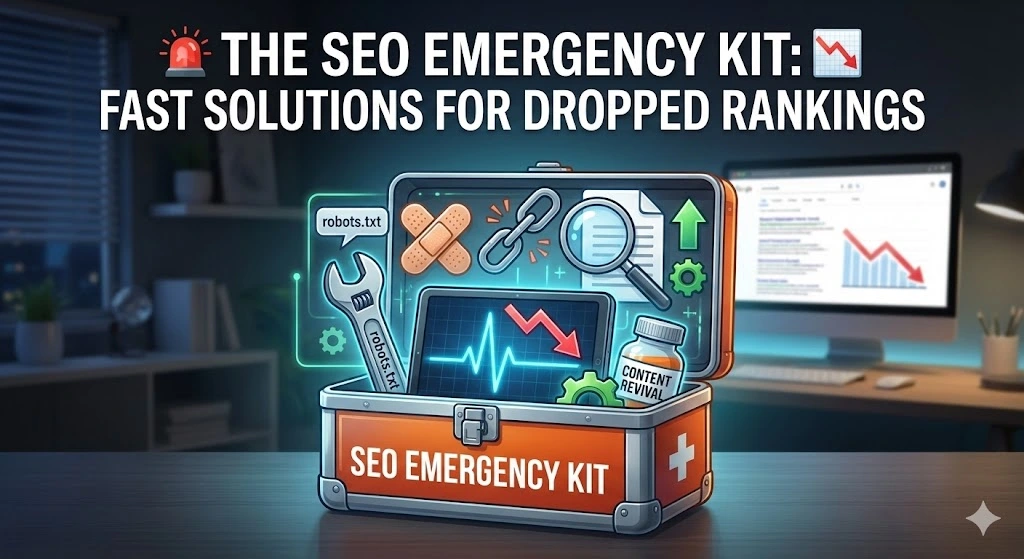
It feels like a disaster, but panic helps nothing. Right now, you don’t need a textbook. Instead, you need a first-aid kit.
Think of this guide as your emergency room. Therefore, we won’t talk about long-term theory. We will focus on stopping the bleeding today.
Follow these steps to find the problem and fix it fast.
1. The Triage Phase: Why Have You Dropped Rankings?
Before you touch any code, you must know what hit you.
Stop the Panic Over Dropped Rankings
First, take a deep breath. A single bad day is not a trend. Because Google Analytics sometimes breaks or delays data, check your site yourself. Does it load? If yes, wait one more day to see if the numbers correct themselves.
The “Pulse”💓 Check Go to Google Search Console. This is your patient monitor.
- Is the line flat (zero)? This is critical. Google may have de-indexed you completely.
- Is the line just lower? This is a flesh wound. You have dropped rankings, but you are still alive.
Server Status and Dropped Rankings
Sometimes the problem is not Google. It is your host. If your server was down when Google visited, you lost traffic. Check your downtime logs immediately. If your server is cheap and unreliable, no SEO trick will save you. So, check your downtime logs immediately. If your server is cheap and unreliable, no SEO trick will save you from dropped rankings.
2. Technical Fixesto Repair Dropped Rankings
If your “pulse check” showed a serious drop rankings, something technical might be broken. Technical SEO sounds scary, but it is often just a loose wire. We are going to find that loose wire.
The “Robots.txt” Bandage
This is the most common reason for a sudden traffic death. The “robots.txt” file is a simple text file on your server. It gives instructions to Google bots. It tells them where they are allowed to go.
Sometimes, a developer or a plugin update changes this file by accident. They might add a single line of code that blocks Google from your entire site.
- How to check it: Open your browser. Type in your website address and add
/robots.txtat the end. (Example:yoursite.com/robots.txt). - What to look for: Look for a line that says:
Disallow: / - The Fix: If you see that exact line with the slash, you have blocked everything. You need to login to your site files or use your SEO plugin settings to remove that line immediately. Once it is gone, Google can see you again.
The “Noindex” Trap
This is similar to the robots file, but it happens on specific pages. WordPress has a small box on every post that says “Discourage search engines from indexing this site.”
If you or a writer accidentally clicked this box while editing, that page becomes invisible to Google. It still works for humans, but search engines will ignore it.
- How to check it: Go to one of your pages that lost traffic. Right-click anywhere on the page and select “View Page Source.” A screen full of code will pop up. Don’t panic. Just press
Ctrl + F(orCommand + Fon Mac) and type the word “noindex”. - The Fix: If the search finds the word “noindex” in the code, you have a problem. Go to your post editor and uncheck the “noindex” setting. Update the page.
The “Canonical” Confusion
This sounds complex, but it is simple. Imagine you have two identical shirts. Google does not know which one is the “real” one and which is the copy. If it gets confused, it might decide not to show either of them.
This happens when your site creates different URLs for the same page. For example, yoursite.com/page and yoursite.com/page?ref=email. To Google, these look like two different pages with the exact same words. This is bad.
The Fix: You need a “canonical tag.” This label tells Google, “This is the original version.” Luckily, most SEO plugins do this automatically. This prevents the “duplicate content” bleeding that often causes dropped rankings.
The Mobile Screen Test Google now looks at your mobile site first. If your mobile site is broken, your desktop ranking will fall too. If you can’t use it easily with your thumb, then Google is penalizing you. This is often the main reason for mobile dropped rankings.
You don’t need a fancy tool to check this. Grab your phone. Open your site.
- Does the menu work?
- Is the text too small to read without zooming?
- Do pop-ups cover the entire screen so you can’t click anything?
If you answered “yes” to the pop-up question or “no” to the menu question, Google is penalizing you. Fix the design so it is thumb-friendly.
3. Content Surgery to Recover Dropped Rankings
If your technical setup is fine, the drop rankings are likely caused by your words. Google changes what it likes every year. An article that was perfect in 2023 might be “thin” or “weak” today.
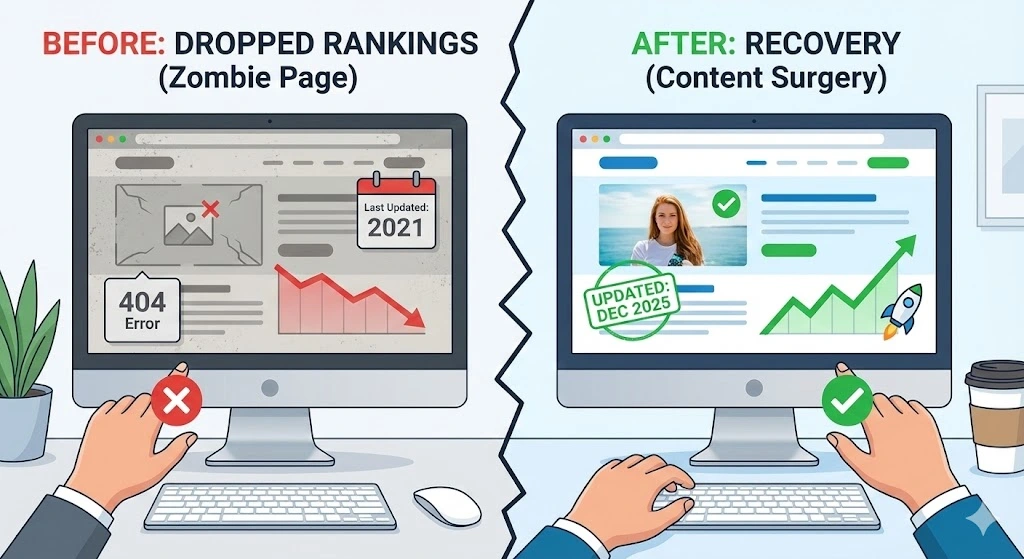
You need to perform surgery on your content. Do not delete everything. You just need to cut out the bad parts and add new life.
Revive Your “Dead” Pages
Look at your articles from two years ago. Are they still true?
Imagine you wrote a guide on “Best Phones to Buy.” If that article still lists the iPhone 10, Google sees it as useless. No one wants that advice anymore. Google stops ranking pages that give old advice.
- The Fix: Go through your top 10 articles. Read them like a new visitor. Is the information current?
- Update the Facts: Change old dates. Update prices. Swap old screenshots for new ones.
- Add “Freshness”: Add a new paragraph at the top. Talk about what changed recently. When you update the text, Google sees a “fresh” signal. It often boosts your ranking just because you showed you care.
The “Zombie” Page Purge
A “Zombie” page is a page on your site that gets zero traffic. It is alive, but it does nothing. It just eats your resources.
If you have 100 pages on your site, but only 10 get visitors, the other 90 are dragging you down. Google looks at your whole site. If it sees mostly junk, it assumes the whole site is low quality.
- How to find them: Look at your analytics. Which pages have had zero visitors for the last six months?
- The Decision: Be honest. Is this page useful?
- Option A: If it is useless (like an old announcement for a 2021 event), delete it.
- Option B: If it is good but short, combine it. Take three short articles about similar topics and paste them into one big, strong guide. Then delete the three small ones.
Build Better Bridges (Internal Links)
Think of your website like a house. If a room has no door, no one can enter.
“Internal links” are just the doors between your pages. If you write a new article, but no other page links to it, Google has a hard time finding it. It sits alone in the dark.
- The Fix: Every time you write a new post, find three old posts that are related. Go to those old posts and add a link to the new one.
- Why it works: This passes “power” from your old, strong pages to your new ones. It tells Google, “Hey, this new page is important because my other important pages point to it.”
The “Fluff” Removal Years ago, people wrote long intros to reach a high word count. They would write, “In today’s modern digital world, it is important to know…”
Real readers hate this. They click “back” immediately. When users leave fast, Google drops your ranking.
- The Fix: Read your introductions. Do you take 300 words to get to the point? Cut it. Start the answer in the first sentence.
- The Test: Read your first paragraph out loud. If you sound like a robot or a boring textbook, rewrite it. Write like you are talking to a friend at a coffee shop.
4. Prevention Tools to Avoid Dropped Rankings
You do not need to buy expensive software to keep your site healthy. Most expensive tools just repackage data that is already free.
You need a simple “medicine cabinet” to stop problems before they start. Install these three free tools today.
1. Google Search Console (The Free Doctor)
This is the most important tool you will ever own. It is the only direct line of communication between you and Google. If you do not have this set up, you are guessing.
- What it does: It tracks your site’s health every day. It tells you exactly how many people saw your site and how many clicked.
- The Early Warning System: The best feature is the email alerts. If Google finds a broken page or a security issue, it sends you an email immediately. It tells you exactly what is wrong.
- Why use it: It sends you an email if your site breaks. Also, it tells you exactly which pages are suffering from dropped rankings. If you do not have this set up, you are flying blind.
2. PageSpeed Insights (The Speedometer)
Readers are impatient. If your site takes more than three seconds to load on a phone, most people will leave. They won’t wait. Google knows this, so it ranks slow sites lower.
- What it does: This tool scans your site and gives it a grade from 0 to 100.
- Don’t Chase Perfection: Many site owners obsess over getting a “100” score. You do not need a perfect score. You just need a “passing” score.
- The Common Fix: Usually, compressing your images will fix this score immediately. To learn exactly how to optimize them, read our Ultimate Guide to Image SEO for Beginners (2025).
3. Uptime Robot (The Security Guard)
Websites go offline. Servers crash. It happens to everyone. The problem is that you often won’t know it happened. You might lose traffic for three days before you realize your site is down.
- What it does: This is a simple monitor. It visits your website every five minutes, 24 hours a day.
- Peace of Mind: If your site crashes while you are sleeping, it sends you an instant email alert.
- Why it matters: If Google tries to visit your site and finds it “dead,” it will temporarily drop your rankings. Knowing immediately allows you to contact your hosting company and fix it fast.
Conclusion: recovery starts today
Seeing dropped rankings feels like a disaster, but it is rarely the end of your business. It is usually just a warning light. ⚠️
You do not need to be a coding genius to fix this. Rather, you just need to be calm and methodical.
Remember the process:
- Check the Pulse💓: Confirm the drop is real using Google Search Console.
- Stop the Bleeding: Fix the simple technical errors like broken links or blocked files.
- Perform Surgery: Update your old content and delete the “zombie” pages that drag you down.
- Monitor Health: Keep your three free tools running to catch problems early.
Algorithms change all the time, but quality always wins in the long run. If you build a site that helps people, Google will eventually find you again.
Don’t wait for tomorrow. Open your site right now and run the first test. Your traffic is waiting to come back.
Frequently Asked Questions❓
1. How long does it take to recover from dropped rankings? It depends on the cause. If you fix a technical error, traffic often returns within a week. If the problem is weak content, it takes longer. Google needs time to re-read and trust your site again. Expect to wait a few weeks for content results.
2. Was I hit by a Google Core Update? Check the SEO news. If thousands of other sites dropped on the same day, it was likely an update. If only your site dropped, the problem is likely internal. Core updates require better content, not just technical fixes.
3. Should I rewrite every old article on my site? No. Focus only on the pages that lost traffic. If a page still ranks well, do not touch it. You might accidentally break a page that is already working. Fix the losers, but protect the winners.
4. How do I know if Google completely banned my site? Go to Google and search for your specific website name. If your site does not appear at all, you might be de-indexed. This is rare. Most drops are just penalties, not total bans.
5. Do social media links help my rankings recover? Indirectly, yes. Sharing your new articles on social media brings in visitors immediately. This traffic helps Google see that real people still like your content. It sends a positive signal during your recovery.
Hello, I don’t know anything about this. But I’m doing it based on your trust. Let’s see, because as I told you, I’m not educated. I’m having a lot of problems with this right now, so I’m asking you for help. ❤️🙏
Hello, I don’t know anything about this. But I’m doing it based on your trust. Let’s see, because as I told you, I’m not educated. I’m having a lot of problems with this right now, so I’m asking you for help. ❤️🙏 The restaurant in Candolim, Goa is named BAMS Successive Bar and Restaurant. ❤️🙏